

Fur Affinity for Android
An unofficial native app for furaffinity.net. Connect with your account and enjoy the furry community on your Android phone!
Free, ad-free and open source.
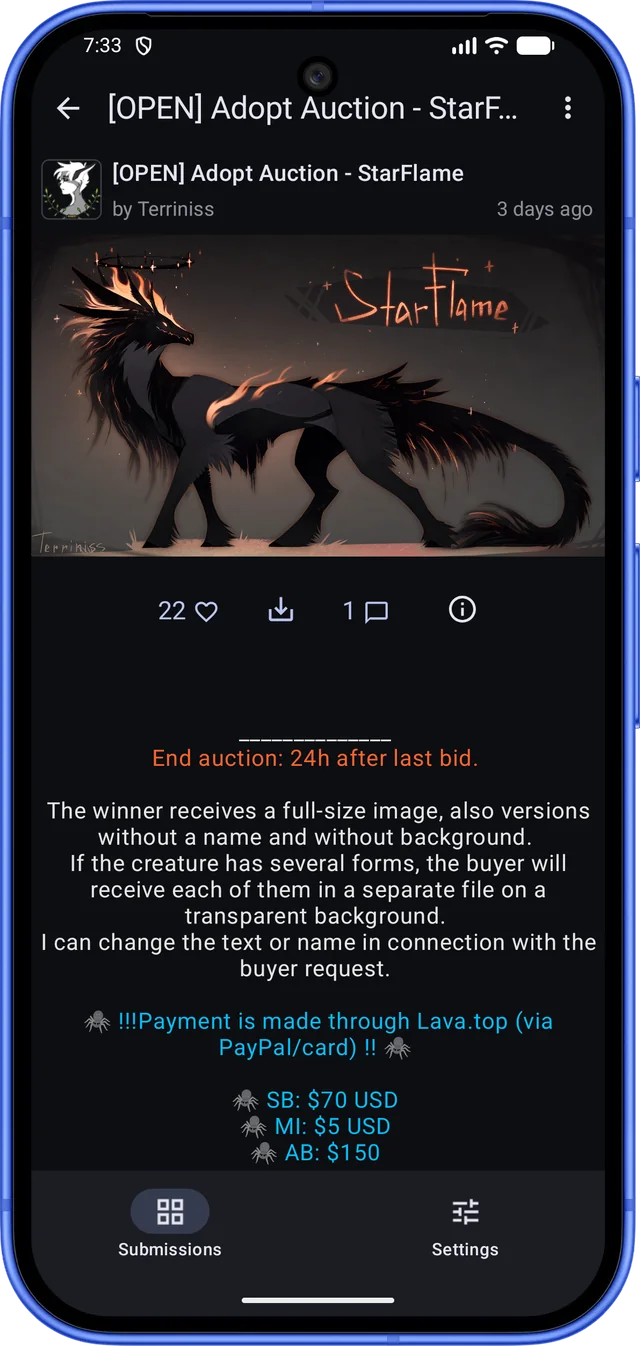
Thank you Terriniss for letting me use your art in the demo ❤️
Features
The Android version is newer and doesn’t do everything the iPhone app does yet. Not there yet: search, journals, notes, notifications and user profiles. They are coming in later releases.
Followed artists
New submissions, pull to refresh, swipe to remove.
Submissions
Zoom in, favorite, save and share.
Comments
Read threads, reply, and note the artist.
Installation
Do these steps from your Android phone. It needs Android 9 or later and a 64-bit ARM processor, which almost every phone from the last few years has.
With Obtainium
Obtainium installs the app from its GitHub releases and keeps it up to date for you.
Or install the APK yourself:
- Download the APK file from the latest release on GitHub (the
.apkfile under Assets). Chrome may warn that the file might be harmful: tap Download anyway. - Open the downloaded file, from the File downloaded message or from your browser’s Downloads. The first time, Android says your phone isn’t allowed to install unknown apps from this source: tap Settings, then turn on Allow from this source.
- Tap Install, then Open, and log in. Enjoy!
Updates
The app isn’t on the Google Play Store. When a new version is out, the Settings tab shows a badge. Download and open the new APK the same way, then tap Update. You stay logged in. If you installed through Obtainium, it handles updates for you.
Screens and their wording vary by phone maker and browser.
Building from source
Developers can build the app themselves. The sources are on the GitHub project page.
Feedback
To report an issue or request a feature, open an issue on GitHub. The app links there too, from its Settings.
Privacy
Install it through AltStore.